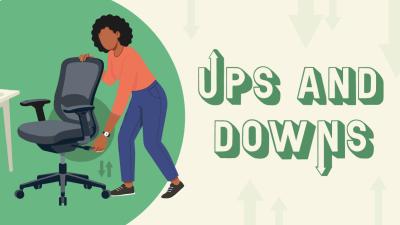





Here are quick tips for an ergonomic setup which helps to prevent pain and discomfort at your desk. There are ups and downs to this theme…
In the infographic below, we show what should go up and what should go down. Yes, this is a simple summary but visuals help us to remember advice.
Carry on reading below the infographic to get the explanations for why these ergonomic tips work. I give the reasons for why each snippet of advice is recommended by healthy working specialists.
If Dolly Parton tells us that the 9 to 5 is “enough to drive you crazy if you let it”, at least it won’t be your desk setup driving you crazy.
Download and share the Ups and Downs infographic

-
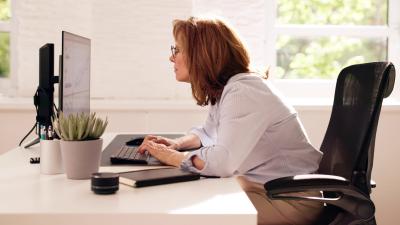
Don’t look down at a laptop screen; look ahead with a laptop riser
Why? Working with a laptop directly on a desk often means bending your neck forward and rounding your shoulders. To help prevent shoulder, neck and back pain, raise your laptop to eye level with a laptop stand and pair it with a separate keyboard and mouse. Position the top of the screen at eye level, an arm’s length away.
A laptop riser such as the affordable new Alumia™ Desk Laptop Stand is perfect.
-
Cut down your sitting time by taking brief movement breaks
Why? Prolonged sitting at work can slow your metabolism, reducing your body's ability to regulate blood sugar and blood pressure, and break down body fat. Take short movement breaks by moving away from your desk frequently, to boost your overall health, help prevent back pain and reduce your risk of developing serious health conditions. This active working approach is good for body and mind.
-
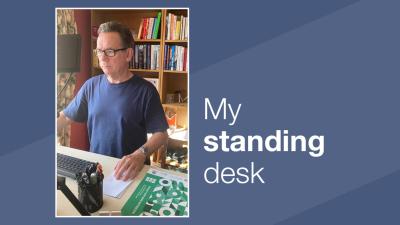
Use a sit-stand desk to lift your desk surface up and down for posture variety
Why? Changing your posture throughout the day and reducing sitting time helps prevent muscle fatigue, joint strain and back pain. With a sit-stand desk, you could try 20 minutes sitting, eight minutes standing and two minutes moving during every half-hour, but this is flexible. The electric lift up and down of the desk only takes seconds.
-
Put your feet up on a footrest for support
Why? A footrest is needed if your feet don’t touch the floor when you have your desk and chair at the correct height for you. Dangling legs would put pressure on the back of the thighs and lower lumbar spine. The Breyta™ Foot Support would be a good choice as it brings an element of movement too.
-
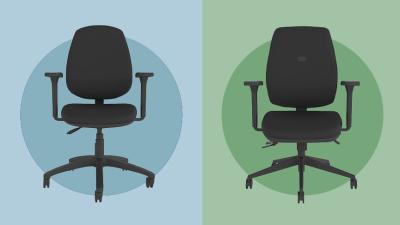
Adjust your chair up or down to get your height exactly right at your desk
Why? Having the optimal office chair height can help you maintain a supported and healthy posture throughout your day, reducing risks of back, neck and shoulder pain. Have your forearms parallel to the desk surface, your hips level or slightly higher than your knees, and your feet supported on the floor or on a footrest.
-
Turn the brightness down on your monitor if you’re getting headaches
Why? The very highest brightness setting on a monitor puts you at risk of eye discomfort and headaches.
-
Turn the office volume down with a noise-cancelling headset
Why? Ergonomics is about productivity as well as health and comfort. If you’re more productive with periods of quiet but need to be in the office, a noise-cancelling headset can be a game-changer.
-
Scroll up and down at breakneck speed with a fast-response mouse
Why? Satisfaction, performance and user experience all play their part in ergonomics. A fast mouse could help you perform well.
Look for a high DPI in the mouse spec, it moves the cursor farther with less physical movement. The FastForward Vertical Mouse has a high adjustable DPI Optical Sensor: it goes up to 5,000 DPI allowing you to customise cursor speed and zip across multi-monitor setups quickly. Its weighted metal scroll wheel also lets you spin fast to breeze through long documents or spreadsheets.
See the FastForward Vertical Mouse
-
Raise up and angle your keyboard just a little by choosing a model with legs
Why? Your aim with an ergonomic keyboard is for your wrists to be relaxed and your shoulders loose. A small ‘positive’ lift of 5–10° of your keyboard (where the back edge with the function keys is higher than the front edge) is the traditional setup. But some people prefer a ‘negative tilt of 5-10° and others a flat setup. Having the keyboard legs gives you a chance to try out what’s most comfortable.
The A4TECH FK11 Compact Mini Keyboard is a popular choice for a keyboard with adjustable tilt legs.
-
Use a good ergonomic bag to lift up or wheel your kit around without strain
Why? An ergonomic backpack with padded straps distributes the weight evenly across both shoulders. Whereas a standard laptop bag with a single strap could cause shoulder and neck strain.
If you need a more spacious bag for your work equipment, wheel the practical Posturite Executive 4-Wheel Trolley Backpack on your travels for added back protection.
-
Turn up the fun at your desk with your very own Penguin mouse
Why? It’s ergonomic; it’s cute; the Posturite Penguin Mouse is a conversation-starter in the office. More importantly, the reviews for this vertical mouse demonstrate its success with people suffering from tennis elbow and RSI.
I hope these 11 quick ergonomic tips have sparked some simple changes that can make a world of difference to your comfort and wellbeing.
Read next: